
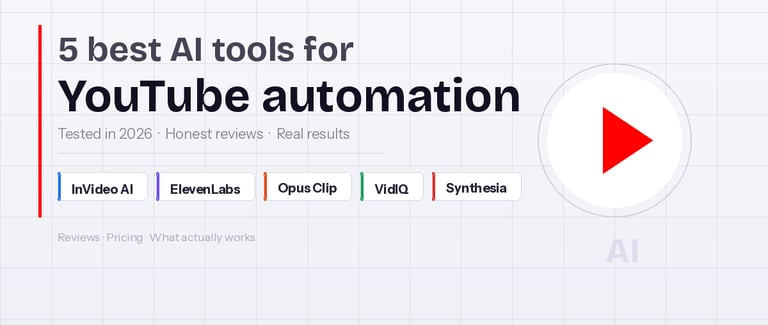
5 top AI tools for YouTube automation in 2026 (tested)
The category has matured fast. In 2026, 83% of creators use AI in some part of their workflow, according to reports. The ones doing it well use AI to protect their judgment, not replace it.
REVIEWS
Derek Callahan
6/4/20268 min read
I spent a long time being precious about my YouTube workflow. Script in Google Docs, record in a closet, edit frame by frame in Premiere, argue with myself about thumbnail fonts. About 14 hours per video, if I'm being honest.
Then I started actually testing AI automation tools. The tools that cut the mechanical parts of the pipeline and hand the creative decisions back to me. Here's what I found after months of real use.
What I mean by "YouTube automation"
I'm not talking about spun AI slop that floods YouTube with identical 3-minute slideshows. I mean tools that handle the parts of video production that don't require human judgment: voiceover rendering, clip selection, SEO research, video assembly. The thinking stays yours. The repetitive work doesn't have to.
The category has matured fast. In 2026, 83% of creators use AI in some part of their workflow, according to a Digiday report. The ones doing it well use AI to protect their judgment, not replace it.
1. InVideo AI
Best for: Going from idea or script to finished video in one place
Pricing: Free (watermarked) / $25/month Plus / $60/month Max
InVideo AI is the most complete all-in-one tool I've tested for YouTube automation. You paste a prompt, a URL, or a full script, and it builds a video: stock footage matched to the script, AI voiceover, auto-captions, transitions, background music. The 2026 platform update added a Magic Box editor where you type natural language commands ("shorten the intro," "change the voiceover to British English," "remove scene 4") and the AI executes them without you touching a timeline.
I used it to produce a 6-minute explainer video in about 90 minutes, including two rounds of edits. That same video would have taken me half a day the manual way. The output was usable at about 80% straight out of the system.
What I like:
The AI follows scripts more reliably than most competitors I tested
Natural language editing commands work for real, not just simple requests
Live support is fast, often under 10 minutes
The Plus plan at $25/month is a reasonable entry point for solo creators
What I don't like:
The credit system is confusing: you'll burn through them faster than the pricing implies
Stock footage matching breaks down for niche or technical topics
The Max plan at $60/month barely justifies the jump in price vs. Plus
Third-party reviews
InVideo AI has 663 reviews on Trustpilot, averaging 4.0 out of 5. That number hides a wide split: 73% give 5 stars, but 16% give 1 star. The best experiences come from people running faceless channels and educational content. The complaints cluster around billing.
"I am giving them all 5 stars because it is the only platform so far that truly creates videos with quality."
— Enrique Martinez, 5-star Trustpilot review
"Paid $60 for the Max Plan expecting 'minutes' of video as advertised. In reality, it's a credit trap. You only get about 2 mins of real AI generation, the rest is just trashy stock photo slideshows."
— Stepan Nikonov, 1-star Trustpilot review
Both reviews are accurate, in my experience. The platform is good. The credit system needs work.
2. ElevenLabs
Best for: Realistic AI voiceovers and voice cloning
Pricing: Free (10,000 chars/month) / $5/month Starter / $22/month Creator / $99/month Scale
Bad audio kills watch time faster than bad visuals. ElevenLabs solves this. It's been the benchmark for AI voice generation for a few years now, and the gap between it and competitors widened after the v3 model launched in 2025. The new model lets you embed emotion instructions directly into the script: whisper here, pause for 2 seconds there, laugh on this line. The AI executes them with enough nuance to fool people who aren't listening closely.
For YouTube specifically, voice cloning is the key feature. Record 3 to 5 minutes of your own voice, and ElevenLabs replicates it. Your channel keeps a consistent branded voice even when you're not recording. I've used this to batch 4 videos' worth of voiceover in an afternoon.
What I like:
The v3 model sounds human on most scripts, no robot cadence
29 language support with consistent quality across them
Speech-to-Speech feature: record a rough take on your phone, get back a polished voice
API access makes full programmatic workflow automation possible
What I don't like:
Credits don't roll over at billing cycle end: you lose what you don't use
The pricing jump from Starter ($5) to Creator ($22) is steep for modest use
Technical terminology sometimes gets mispronounced, requiring manual corrections
Third-party reviews
ElevenLabs has 22 verified reviews on Capterra with a 4.6 average, and 1,185 reviews on G2. Trustpilot shows 2.8 out of 5 across 929 reviews, but dig into those 1-star reviews and most are billing complaints, not product failures.
"Voice quality is crazy; we've been using it to make demo spots for potential clients and they can't tell it is not a real voice actor. Savings of likely $8K alone on voice talent last quarter."
— Luis V., Account Executive in Broadcast Media, Capterra
"The voices are incredibly realistic and the clone voice feature really makes the process faster and easier. It has really helped me in having a more efficient process of creating videos, podcasts and other content."
— Hasmukh S., Developer, Capterra
"If you are a high-end content creator or a developer needing a robust API, ElevenLabs is the gold standard. However, if you are just starting out and on a tight budget, the credit burn might feel a bit punishing compared to more affordable alternatives."
— Christa B., Capterra
My take: the Starter plan at $5/month gives you 30,000 characters per billing cycle, which is roughly 20 minutes of audio. Fine for 3 to 4 short videos per month. If you're publishing more than that, Creator at $22/month makes more sense than burning Starter credits and stopping mid-month.
3. Opus Clip
Best for: Turning long videos into YouTube Shorts automatically
Pricing: Free (60 min/month) / $9/month Starter / $19/month Pro
Opus Clip does one thing: take a long video, identify the strongest moments, and export them as vertical short-form clips. It scores each clip by estimated viral potential, adds auto-captions, reformats to 9:16, and gives you a trimmed version ready to post.
For anyone already making long-form content (interviews, podcasts, tutorials, commentary) this is close to free output. One 45-minute video can become 8 to 12 Shorts. The cleanup on each clip is maybe 10 minutes if the AI got it right, maybe 25 minutes if it didn't.
What I like:
Auto-caption quality is among the best I've tested at this price point
Works from a YouTube URL, no upload required
The viral score helps you prioritize which clips are worth polishing first
The free tier is actually usable for testing, not just a teaser
What I don't like:
AI clip selection is roughly 60% immediately usable; the rest need edits or deletion
B-roll generation (a newer beta feature) is inconsistent
Captions occasionally desync after manual edits
Third-party reviews
Opus Clip has 115 reviews on G2 averaging 4.6 out of 5. The pattern is consistent: people who use it for repurposing existing content love it. People who expect zero-cleanup output get frustrated.
"What used to take hours now takes minutes, and the quality consistently exceeds my expectations. It's become an essential part of my content workflow."
— Cameron Y., Content Manager, G2
"I typically upload a 12–15 minute video daily and out pop 10–15 clips ranging from 30 seconds to two minutes. The whole process is so easy, even editing takes very little time."
— Don M., Business Coach (2-month Pro user), G2
"If it generates 20 clips, maybe two or three are ready to go. By the time I finish fixing the things that don't look right in the clip, I've spent as much time as I would have creating the clip myself in Premiere."
— Eric S., Visual Storyteller, G2
Eric's experience is real, and it comes up often. Opus Clip works best on talk-forward content: podcasts, interviews, commentary, webcam-based tutorials. On b-roll-heavy or narrative formats, the clip selection gets confused.
4. VidIQ
Best for: YouTube SEO research and topic validation
Pricing: Free / $7.50/month Boost / $39/month Max
Before you automate production, you need to know what to produce. VidIQ answers that question. It puts real-time channel stats, keyword scores, estimated earnings, and competitor analytics directly onto YouTube's own interface via a Chrome extension. You see the data without leaving the platform.
The AI features have improved in the past year. The Daily Ideas tool generates personalized topic suggestions calibrated to your channel's niche and historical performance. The AI title generator predicts click-through rate and scores titles before you publish.
What I like:
Browser extension surfaces competitor data inside YouTube, no context switching
Daily Ideas is useful once the algorithm has enough data on your channel
The free tier is substantial enough to validate whether VidIQ fits your workflow
Solid for new channels that need structured guidance on where to start
What I don't like:
AI credits deplete fast on higher plans: you'll run out mid-month if you're not careful
The thumbnail designer is basic compared to dedicated tools like Canva
Some AI-generated title suggestions feel generic, especially on competitive topics
Third-party reviews
VidIQ has 61 reviews on Capterra averaging 4.3 out of 5.
"It's a helpful tool for growing a YouTube channel because it gives you keyword research, competitor analysis, title ideas, and SEO suggestions all in one place. I especially like the browser extension because it shows useful data directly inside YouTube while I'm planning or uploading."
— Gabby W., Founder, Capterra
"Being able to apply recommended tags, titles, descriptions as well as AI assistance with thumbnail creation is priceless. I have seen improvements in my video reach since implementing VidIQ's recommendations."
— Jason B., Proprietor in Music industry, Capterra
"VidIQ is worth a base level subscription for anyone looking to fine-tune and grow their YouTube content creation experience. Beyond that, the AI becomes a money drain. I would suggest using ChatGPT or Claude for long queries and saving your VidIQ AI credits for very short, specific tasks."
— Reno L., CEO, Media Production, Capterra
That last point is advice I'd second. Use VidIQ's AI for quick in-platform queries. Use a general-purpose AI for longer research and scripting tasks.
5. Synthesia
Best for: Adding a human presenter without appearing on camera
Pricing: $29/month Starter (10 min video) / $89/month Creator / $189/month Business
Synthesia generates photorealistic AI avatar videos from a script. Pick an avatar, paste the text, download a video of a convincing human presenter delivering your content. It supports 140 languages, and the custom avatar feature lets you create a digital version of yourself from a short video sample.
The use case is specific but real: educational content, corporate explainers, news-format videos. Formats where a visible presenter builds trust, but where you either can't scale camera time or simply don't want to appear on camera at all.
What I like:
Avatar quality is impressive, especially on close shots
140 language support means one script becomes multilingual content with minimal extra work
No studio, camera, or audio gear required
Custom avatar creation lets you scale your own presence without your own time
What I don't like:
$29/month for 10 minutes of video is expensive for individual creators
Avatars look noticeably artificial on wide shots or during complex gestures
Works best for scripted, formal content, not casual personality-driven channels
No meaningful free tier to test before committing
Third-party reviews
Synthesia has 1,765 reviews on Trustpilot averaging 4.0 out of 5. Recurring complaints: content moderation rules are aggressive and unpredictably applied, and refund policies are strict. The 72% of 5-star reviewers tend to be corporate trainers and educators who've found a clear use case.
"What a brilliantly simple system. I have made many compelling videos using both Synthesia Avatars and also using my own image. Very simple to make your own Avatar and produce realistic looking videos."
— Fred Bartlett, 5-star Trustpilot review
"The technology is impressive and I've made almost 50 restaurant training videos that look quite nice. But their content moderation guidelines are not clear."
— Ross Taylor, 3-star Trustpilot review
Synthesia is a real tool for a specific job. If that job is yours (formal training content, multilingual educational explainers, corporate video at scale) it's worth the price. For faceless entertainment or commentary channels, it's overkill and probably the wrong fit.
Which tool should you start with?
Building a faceless channel from scratch: start with VidIQ for research and InVideo AI for production. That combination covers idea validation through finished video at under $35/month combined.
Already publishing long-form content: add Opus Clip immediately. It multiplies your output from existing videos with maybe 15 minutes of additional work per week.
ElevenLabs is a worthwhile add-on once you're publishing consistently. The voice quality justifies the cost if you're doing 4 or more videos per month.
Synthesia is the outlier. Worth considering only if your content format specifically benefits from a visible presenter, and you're willing to pay for a tool built for business use cases rather than individual creators.
The one thing none of these tools replaces: deciding what's actually worth making. That judgment is still yours.

Contact:
© 2026 toolpundit. All rights reserved.